
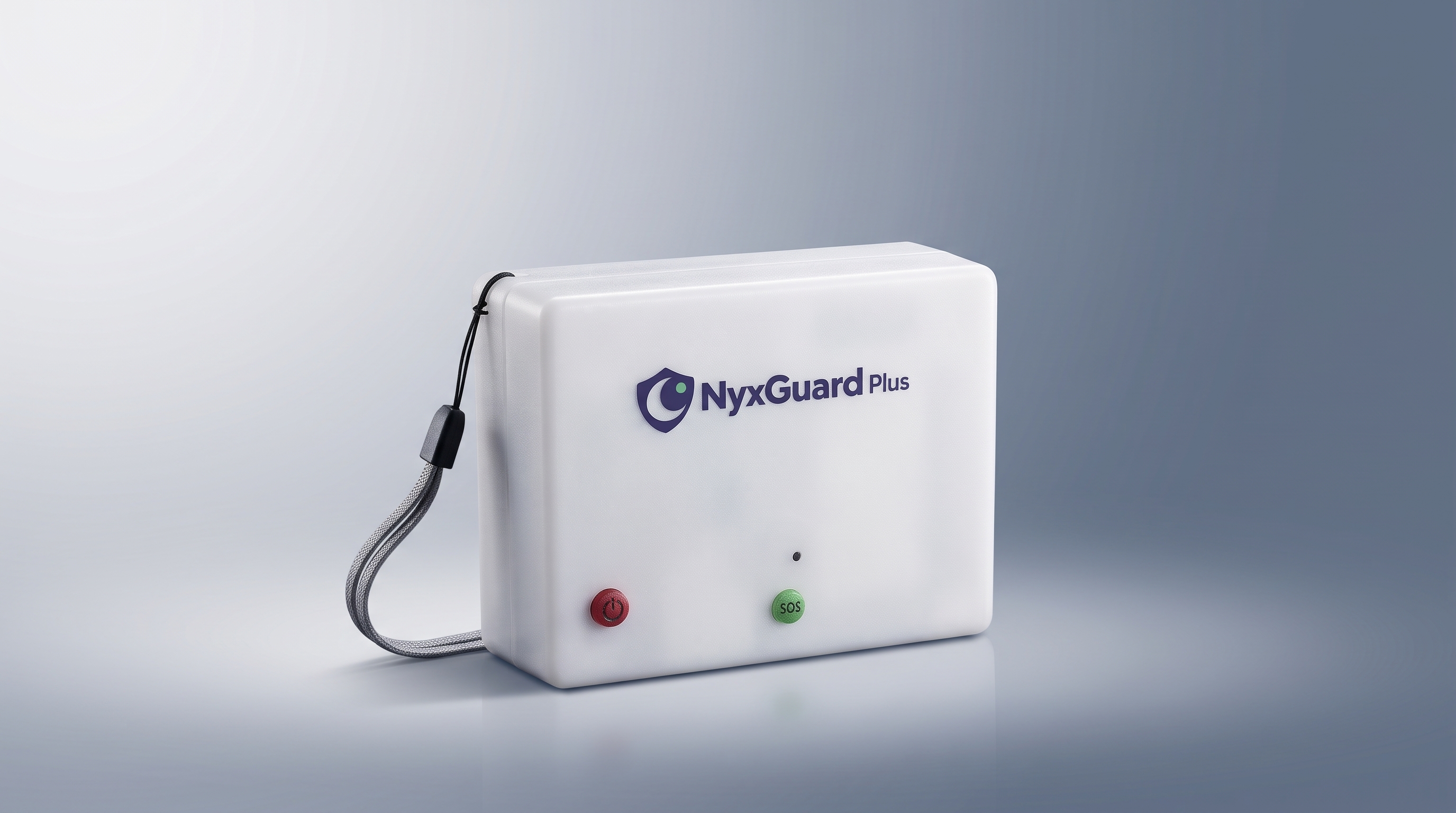
Phase II · App and handheld prototype
After the competition, I continued the project as NyxGuard Plus, a handheld prototype with a newly developed companion app. This stage builds on the same safety concern, with a separate app from the one my teammates and I developed in Phase I.
I led development and debugging of contact settings, editable alert messages, and device-status displays.
A hardware-and-software prototype with documented requirements, interaction logic, module specifications, and an enclosure drawing.
23 test records, including failures, document problems and the changes they prompted. The current device remains a proof-of-concept prototype.
NyxGuard Plus in action
Start with the project introduction and four-setting overview, or choose an individual test recording below.
Explore each test setting
Building and testing the prototype
Photographs and video stills document the hardware setup, enclosed prototype, internal assembly, and receiving-phone display during Phase II development. I led requirements, design, testing, and iteration, with engineering support for hardware implementation.
Select an image to view it at a larger size.
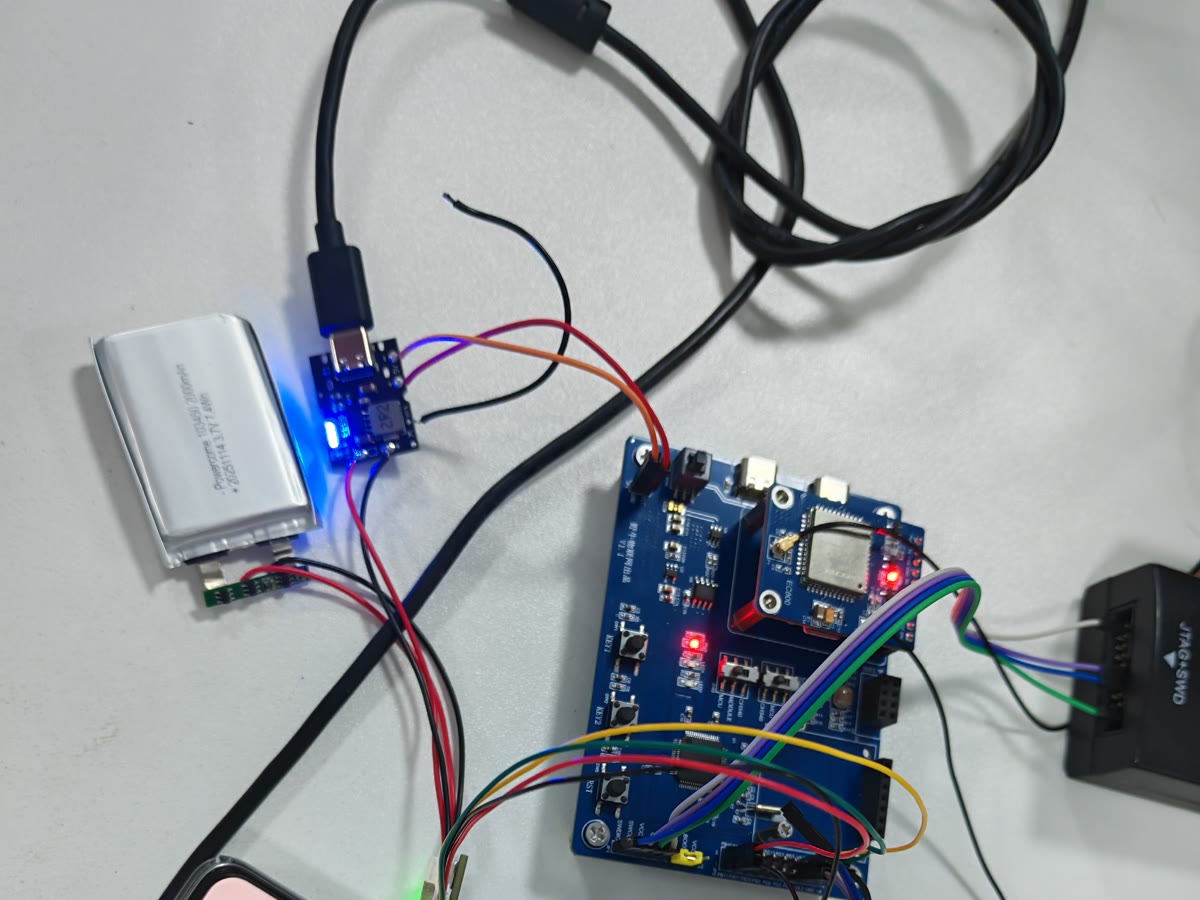
Hardware on the workbench
Circuit board, battery, power module, and connecting wires before enclosure assembly.
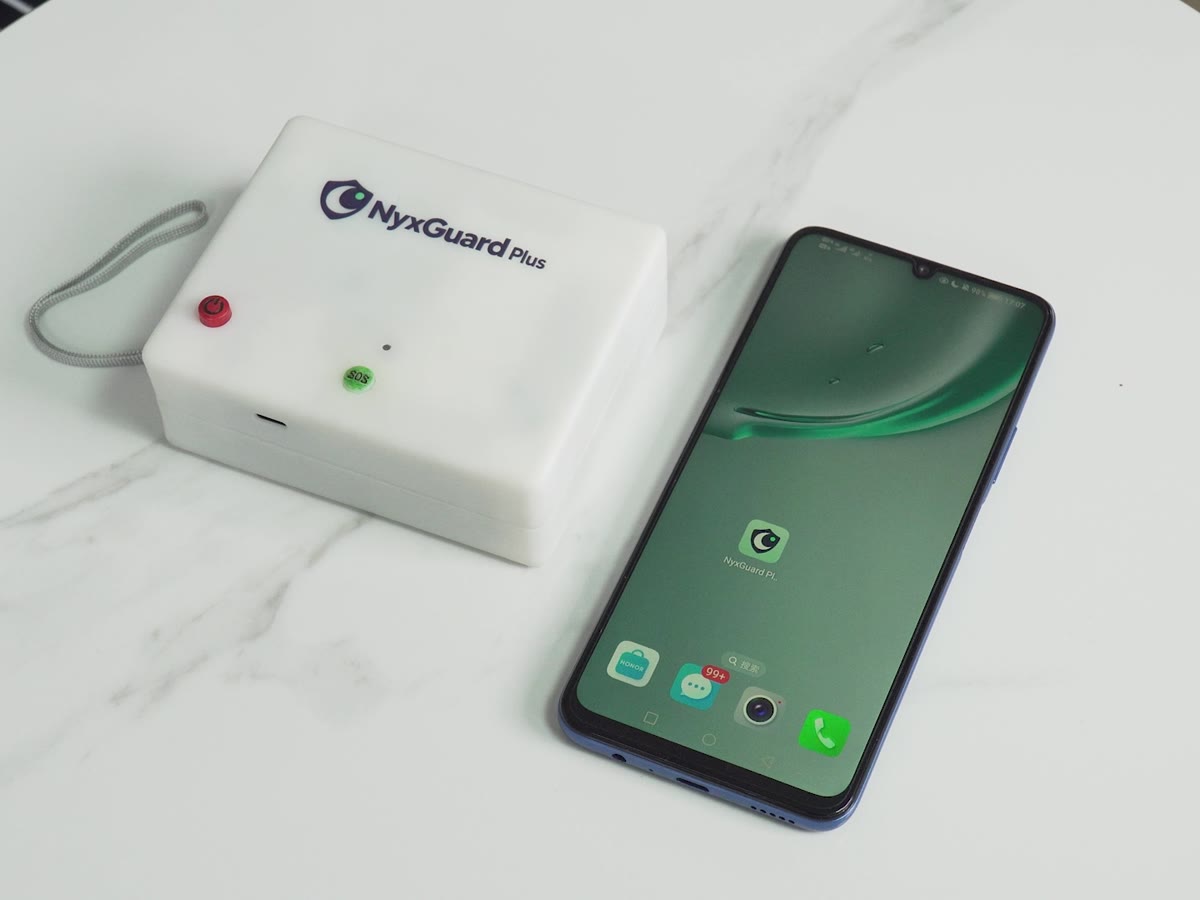
Prototype and companion phone
A frame from the project introduction showing the enclosed NyxGuard Plus prototype alongside a phone displaying the companion app icon.
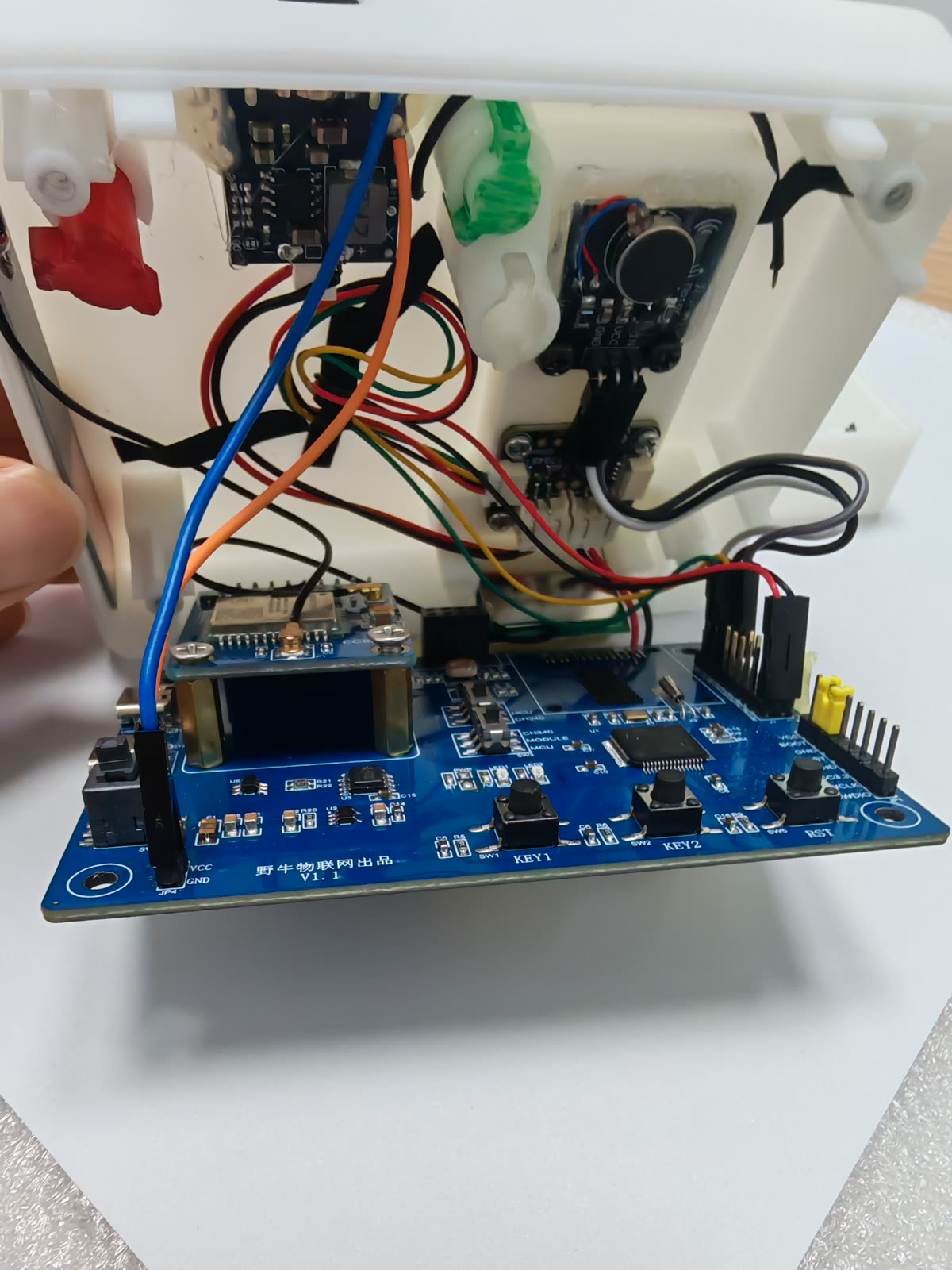
Inside the enclosure
The open prototype shows the board, mounted modules, and internal wiring.
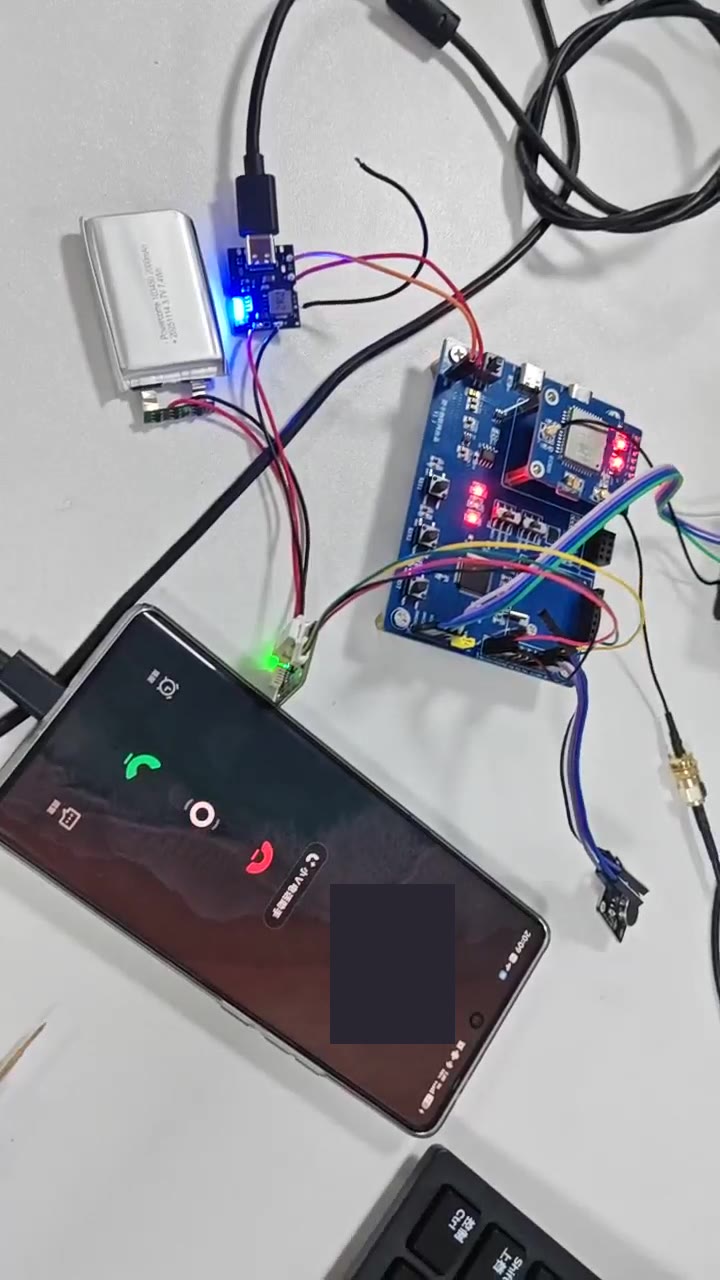
Checking the receiving phone
The receiving phone displays an incoming call during the demonstration. The phone number is redacted.
From app settings to a request for help
- Use the companion app to connect to the device and review its status.
- Set up emergency contacts and edit the alert message. The app supports up to three preset numbers.
- Save the configuration to the device, then use its SOS control to start the alert sequence.
- Check the receiving phone for the message, location link, and incoming call. These are separate observations.
The sequence above describes the intended workflow. A location link, a ringing phone, and a connected call each establish something different and need to be checked separately.
An iteration about cancellation
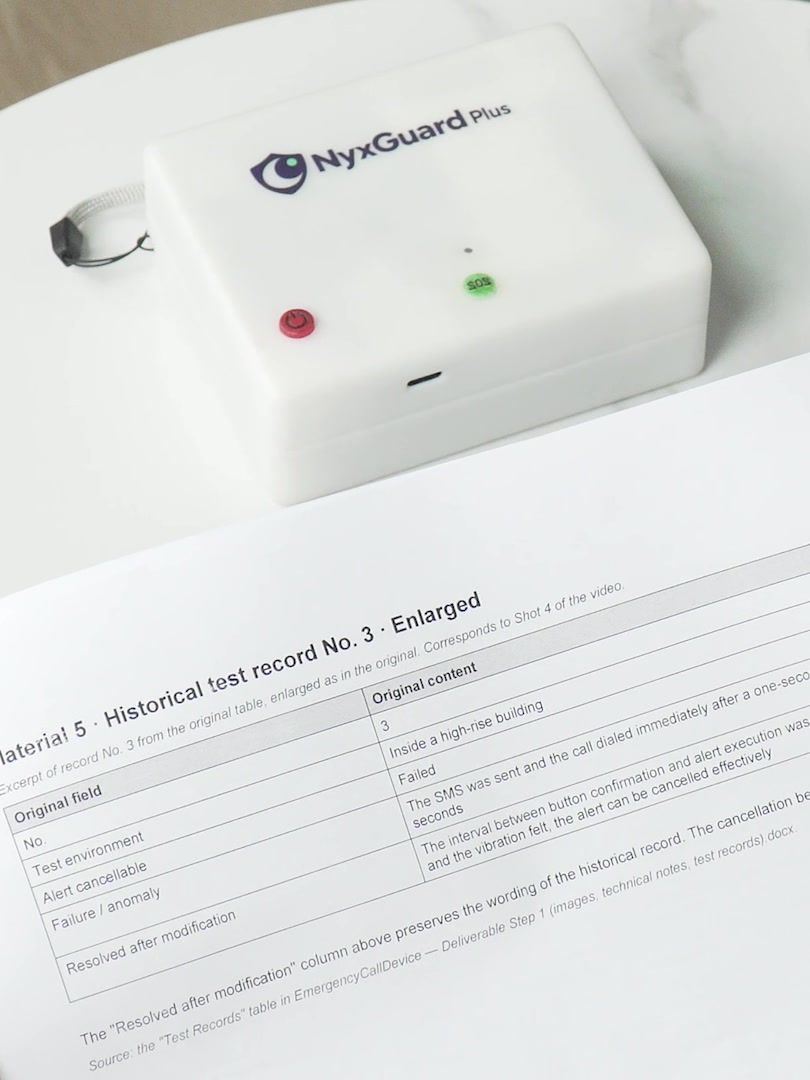
An early record showed that an alert could execute before cancellation took effect. I requested a five-second wait between button confirmation and alert execution, so that a mistaken activation would have a chance to be stopped.
This is a documented design request. Confirming the current version’s behavior requires a retest of message sending, calling, and subsequent retries after cancellation.
Keeping the test conditions visible
My project archive contains 23 test records, including failures, across indoor spaces, roads, parking garages, and parks. They document dialing failures, accidental activation and cancellation, and outdoor location drift, helping identify what needed to change.
The video collection above includes recordings from indoor, outdoor, parking-garage and elevator settings. They show the test setup and operation; the historical test records remain a separate account of outcomes and failures.
Device feedback, message receipt, location information, ringing, and connection.
The test conditions, timing, version, result, and any failure or unexpected behavior.
My work in Phase II
I led requirements, design, the second-phase app’s development and debugging, testing, and iteration. A technical team assisted with circuit assembly, soldering, and parts of the engineering implementation.
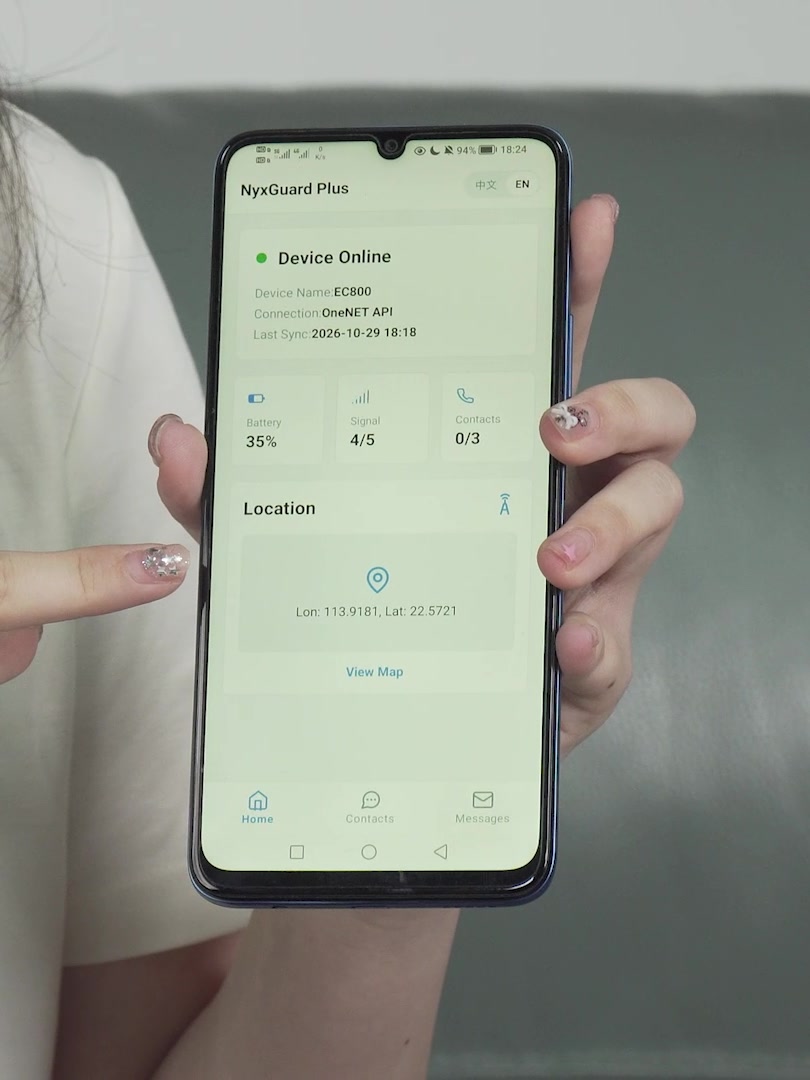
Technical explanation
The technical explanation brings together the module block diagram, hardware specifications, and three pages of the Phase II companion app: Home, Contacts, and Messages.
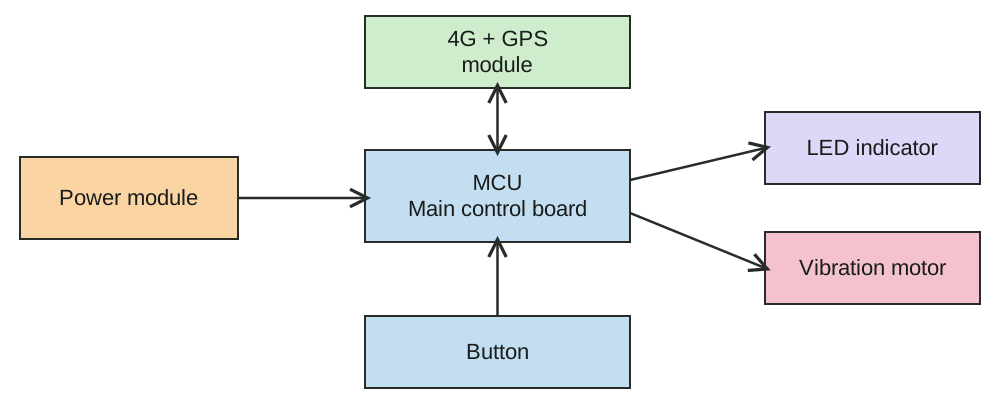
The specifications are statements from the supplied documentation. The stated 14-hour battery life and automatic positioning switch are not presented here as independently verified test results. The source’s term “offline” does not establish operation without cellular service.
Prototype enclosure drawing
The enclosure drawing records the prototype’s front, rear, side, and isometric views, with dimensions in millimeters. It complements the photographs of the assembled device.
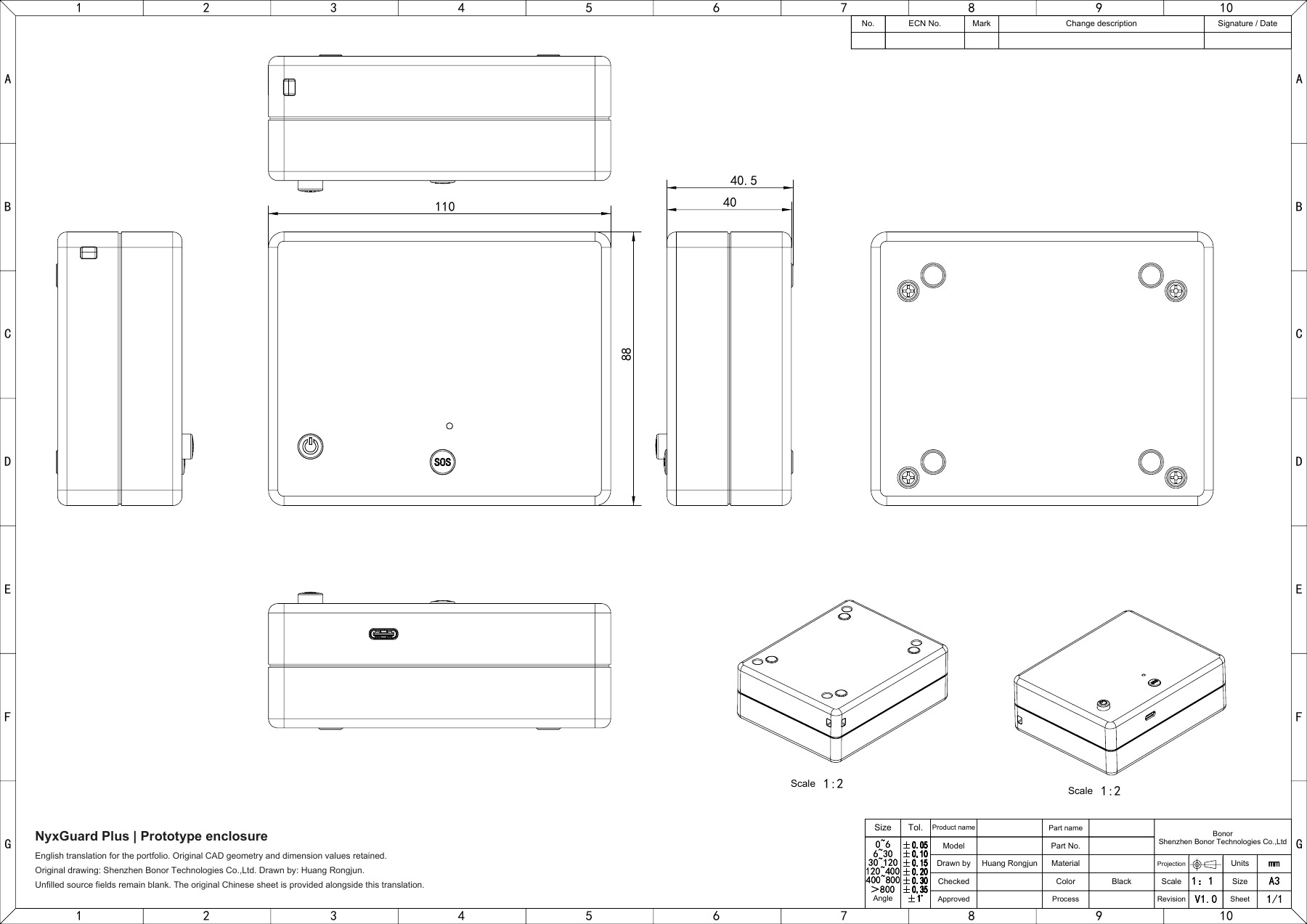
Original drawing: Shenzhen Bonor Technologies Co.,Ltd; drawn by Huang Rongjun. The English version preserves the original geometry, dimensions, and attribution. The source specifies Black in the color field; the photographed prototype has a white enclosure.
Phase II · Continuing in college
In college, I hope to keep improving the app and device, study usability and reliability, and explore the steps toward responsible product development.
Phase I · Team app and recognition
I worked with two teammates, with equal contributions, to develop and test a nighttime-safety app with location tracking, route-deviation alerts, and an SOS function. We entered the project as SafeWalk at WorldInvent and as NyxGuard at Technovation.
Silver Medal · SafeWalk · Team award.
Quarterfinalist · NyxGuard · Team advancement.
NyxGuard Nighttime Travel Safety Software V1.0 · Registration No. 2026SR0789049, issued 30 July 2026. Jointly owned by the three teammates.
Pending in the activity record; no second issued certificate is claimed here.
These awards and copyright records belong to the Phase I team app. The Phase II prototype, its new companion app, and its testing are presented separately above.